Deployment slots
What it is
Deployment slots are named live environments for one App Service app, such as production and staging. Each has its own hostname. You can deploy a new version to a non-production slot, test it, then swap it into production so the previously running version becomes the non-production slot.
Why it exists
Shipping directly to the live site is risky. Slots let you deploy to staging, smoke-test with production settings, then swap traffic while App Service prepares the source slot. Swap back to restore the previous version if a regression appears. Long-running work can be abandoned when the former production workers recycle, so applications must tolerate interruption.
Key ideas
- A slot has its own deployment and hostname. Some configuration swaps with the application; deployment slot settings stay with the slot. This distinction is critical for production-only secrets and endpoints.
- A swap warms and redirects the application environments according to App Service’s slot behavior. It can reduce release disruption, but it does not test your application or make a database schema change reversible.
- Swapping back can return the previous application version to production, provided the wider release has not made incompatible changes. Test rollback, health checks, and long-running work before relying on it.
- Slot count and availability depend on the App Service plan tier. Confirm the target plan’s current limits before using slots in a release design.
Northwind example
Northwind deploys a new ordering API version to staging.northwind.... It runs a smoke test that creates a test order without charging a customer. The production payment credential is configured as a slot setting so it stays with production during the swap; staging uses a safe test credential. When the checks pass, Northwind swaps staging into production. If a defect appears, it can swap back—but only after confirming that the deployment did not perform an irreversible data migration.
Common confusion
- A slot is not a separate subscription or full disaster-recovery environment. It shares the parent app’s broader service context.
- A slot swap is not automatically zero risk or zero downtime for every application protocol, connection, background job, and data change.
- Do not put production secrets in a non-sticky setting and assume the swap will keep them in production.
How it fits (diagram)
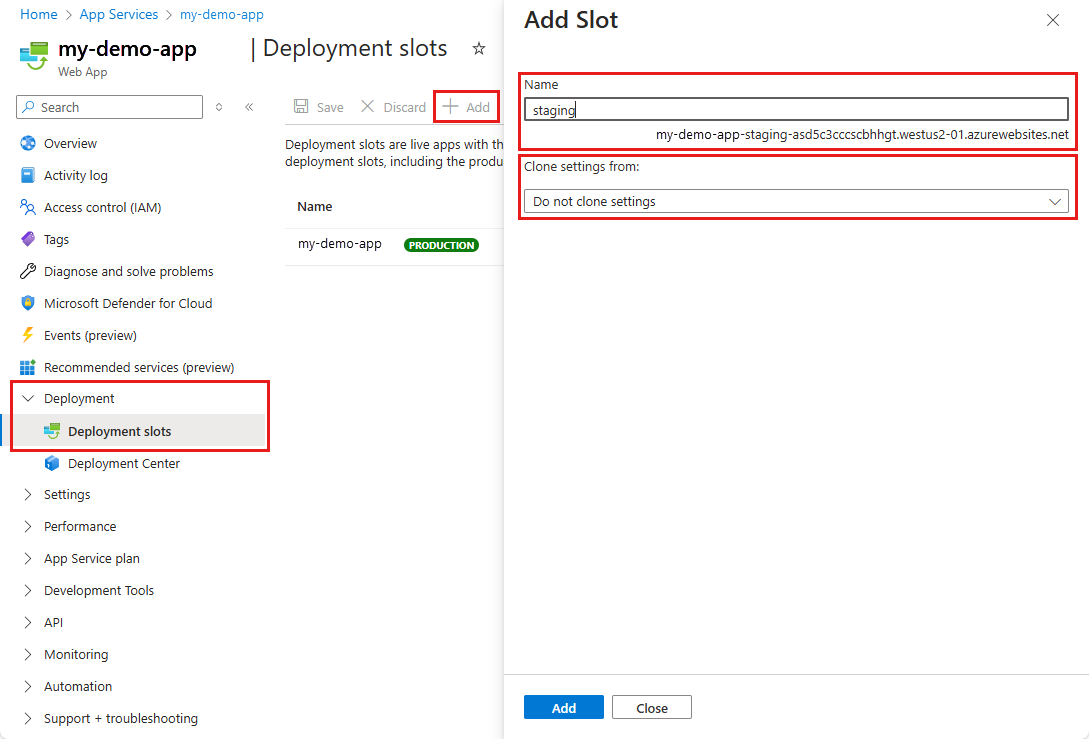
Diagrams courtesy of Microsoft Learn / Azure docs: app-service/deploy-staging-slots
Release checklist
Use representative tests, define which settings are slot-specific, prepare a rollback decision, and coordinate any database or external-service change. Monitor the production app after the swap through Application Insights.
Related
app-service · app-service-plan · application-insights · key-vault · northwind-traders-case-study
📘 Source: Microsoft Learn — Set up staging environments in Azure App Service, checked 2026-09-16. Re-audit when slot availability, swap behavior, or application-restart guidance changes.