Azure Network Watcher
What it is
Azure Network Watcher is the regional diagnostics and monitoring service for Azure networking. It gives tools to inspect connectivity, packet flows, topology, and logs across your VNets and subnets.
Why it exists
When traffic “doesn’t work,” administrators need fast, visual answers: is the route right? is the NSG blocking? can VM A reach VM B? Network Watcher centralizes these connectivity/protocol diagnostics instead of you poking NIC/protocol state manually.
Key ideas (core tools)
- Topology — visual interactive graph of your VNet resources and their connections.
- IP Flow Verify — tests whether a packet from a source IP/port to a destination IP/port is allowed or denied, applying NSG rules + routes to explain the result.
- Next Hop — shows the next hop (and which route drove it) for a packet, great for debugging UDRs.
- Effective security rules — lists the applicable NSG rules for a NIC/subnet combined (classic Association + effective).
- VPN troubleshoot — diagnoses gateway/connection issues.
- Packet capture — captures traffic to/from a VM NIC (agent-free snapshot).
- Connection monitor — end-to-end, recurring connectivity/performance testing between resources.
- NSG/network flow logs — record allowed/denied flows for SIEM/NSG analysis.
How it fits
Enabled per region (one Network Watcher per region) and typically deployed automatically (one instance per region). Flows from VNets across many subnets are analyzed in one pane.
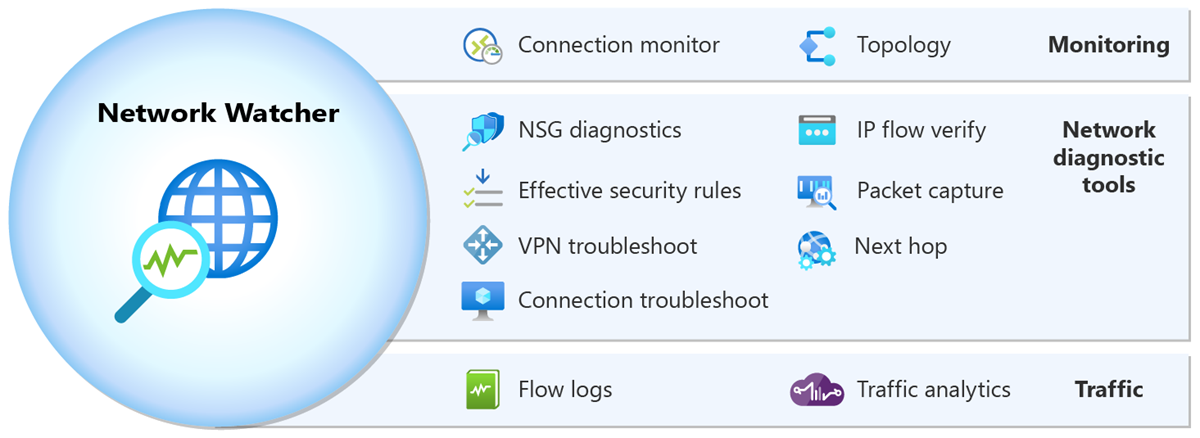
Diagrams courtesy of Microsoft Learn / Azure docs: network-watcher/network-watcher-monitoring-overview
Exam notes
- Network Watcher is regional — enable it in the region where your VNets live.
- Flow logs and some tools incur cost/are billed; baseline topology/IP flow verify tools are often free but check current billing docs.
- Use IP Flow Verify for “which NSG rule is blocking my traffic” exam scenarios; use Next Hop for route/diagnostic questions.
Related
Home · vnet · nsg · route-table · subnet
📘 Source: Microsoft Learn — Network Watcher