Bicep
What it is
Bicep is a domain-specific language (DSL) that lets you define Azure infrastructure declaratively as code, with an easy-to-read, concise syntax. It transpiles to ARM template JSON before deployment, so it is a friendlier authoring layer over the same Azure Resource Manager deployment engine.
Why it exists
ARM templates (JSON) are verbose, hard to read, and error-prone. Bicep gives you the same declarative infrastructure-as-code power — variables, parameters, modules, loops, conditions, dependencies — with syntax like a modern language, plus native tooling (formatter, linter, VS Code extension, preview of changes).
Key ideas
- Bicep files use the
.bicepextension and compile to ARM-template JSON. Azure tools can deploy Bicep directly, but Azure Resource Manager performs the deployment. - Declarative means the file states the desired resources and properties. It does not mean every unspecified resource will be removed: deployment scope and mode determine how Azure handles existing resources.
- Parameters make the same definition usable for dev, test, and production. Modules package reusable pieces, such as a standard network or storage account.
- Bicep can infer many dependencies from resource references, so it can order the deployment. Make any non-obvious dependency explicit and review the planned change.
Northwind example
Northwind keeps a Bicep definition for the ordering app’s resource group, App Service plan, web app, storage account, and monitoring. It passes different parameter values for test and production, reviews the change in version control, then deploys through Azure Resource Manager. A manual portal change can still create drift, so Northwind compares the live environment with its reviewed definition.
Common confusion
- Bicep is an authoring language; ARM is the Azure deployment and management service.
- Bicep is not an application-programming language and does not run Northwind’s ordering code.
- Re-running a deployment is not a substitute for understanding destructive changes, deployment mode, or a resource’s update behavior.
How it fits (diagram)
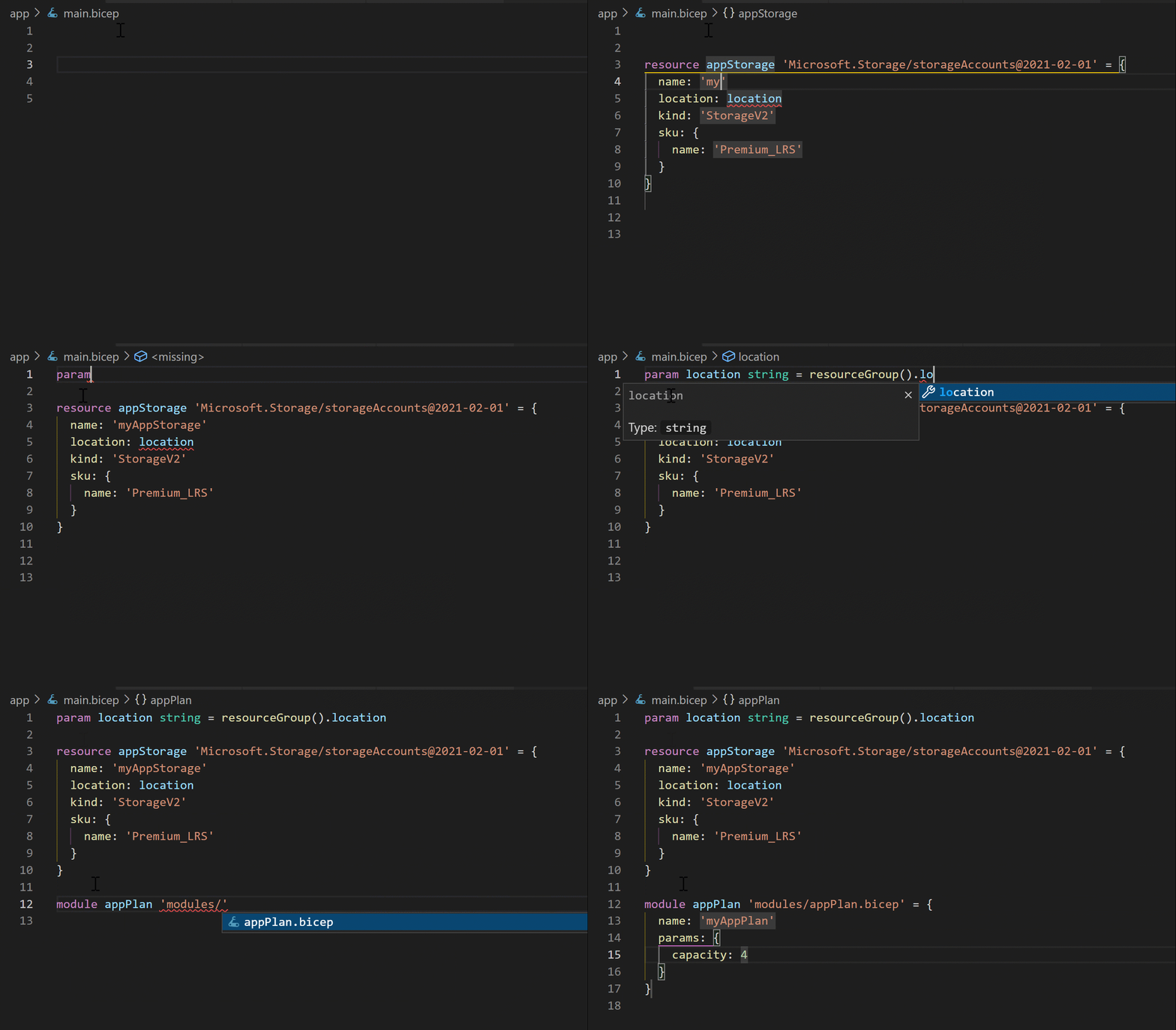
Diagrams courtesy of Microsoft Learn / Azure docs: azure-resource-manager/bicep/overview
Exam notes
- Bicep compiles to (maps 1:1 to) an ARM template — they are two views of the same deployment.
- Files end in
.bicep;az deploymenttargets resource-group or subscription scope. - In AZ-104 pop quiz: “declarative, readable language for Azure IaC” → Bicep (vs imperative CLI/portal); preferred over hand-writing JSON.
- Same deployment engine as ARM templates → idempotent diff-based apply.
Related
arm-template · infrastructure-as-code · azure-cli · azure-vm · northwind-traders-case-study
📘 Source: Microsoft Learn — Bicep overview, checked 2026-09-16.