Azure Landing Zone IaC Accelerator
What it is
The Azure Landing Zone (ALZ) Infrastructure-as-Code (IaC) Accelerator is Microsoft’s guided way to set up a platform landing zone as version-controlled code. It uses Azure Verified Modules (AVM) for either Bicep or Terraform and prepares a continuous-delivery setup around that code.
In plain language: it helps a platform team build the shared rules and shared services that many application teams need before they start deploying workloads. It is a starting implementation of Azure landing zone guidance, not an Azure service and not a single “secure my whole tenant” button.
How to read this guide
This note uses exact Azure and Azure DevOps names when a person must select a setting or grant a permission. Each time that happens, the text also says what the setting does in ordinary language and why it is needed. You do not need to know the terms before reading: use the linked glossary notes when you want a deeper explanation.
Why it exists
An organization with many subscriptions needs more than a collection of projects. It needs consistent places for shared connectivity, monitoring, and security, plus governance that reaches each workload subscription. Setting all of that up by hand produces drift: one subscription has the expected policy, another does not; one team knows which network to use, another creates an incompatible one.
An accelerator makes the platform definition reviewable and repeatable. A change begins as code, is checked in version control, produces a plan, and is then deployed through an approved delivery path. This is useful when the same baseline must be maintained over time, not merely created once.
Read this note in this order
This is a long guide because a landing zone joins architecture, identity, billing, source control, and operations. You do not need to absorb it all at once.
- Start with Prerequisites and What you need before bootstrap to decide whether the accelerator fits the organization.
- Read Keep the access systems separate before granting any permission. It distinguishes Microsoft Entra, Azure, Azure DevOps, and billing access.
- Use the GitHub or Azure DevOps section for the selected source-control system. Do not apply the permissions for both systems.
- Read Follow one deployment request from Azure DevOps to Azure if using Azure DevOps. It explains the human account, PAT, service connection, managed identity, federation, and Azure RBAC in one sequence.
- Choose Bicep or Terraform, then read only the deployment-path detail that applies. Terraform adds state-management responsibilities.
- Finish with Security and operational assurance before production approval. It identifies the ownership, evidence, and recurring work that the accelerator cannot perform for you.
Quick reference: what to prepare before bootstrap
Use this table as a pre-flight checklist. It is a summary, not permission to grant every item to one person permanently. The detailed sections below explain the boundary and the exact Azure DevOps PAT scopes.
| Area | Prepare or approve | Why it is needed | Keep it limited to |
|---|---|---|---|
| Microsoft Entra | A named, MFA-protected bootstrap user who can sign in; named groups for approvers and operators. | Entra establishes who the person and later automation identities are. | The approved tenant and named groups. A sign-in alone does not grant Azure or Azure DevOps permissions. |
| Azure permissions | Owner on the chosen parent management group and declared platform subscriptions. Bicep also needs temporary root-scope User Access Administrator. | Bootstrap creates the hierarchy and grants the later delivery identities access. | The selected parent management group and two or four platform subscriptions; remove temporary elevation after setup. |
| Billing | A billing owner only if new platform subscriptions must be created. | The accelerator needs existing, suitable subscription IDs; billing authority creates or allocates them beforehand. | The organization’s billing agreement. Billing authority is separate from Azure RBAC. |
| Azure DevOps Services | An existing hosted Azure DevOps organization; an approved project, or approval for bootstrap to create one; pipeline capacity. | Bootstrap places repositories, pipelines, approvals, and service connections there. | The selected organization and project. An existing organization can be used. |
| Azure DevOps bootstrap PAT | A one-day token-1 with the documented Azure DevOps scopes; token-2 only for a self-hosted-agent design. | It lets bootstrap configure Azure DevOps delivery assets. | Azure DevOps only, for the short bootstrap window. It never grants Azure resource access. |
| Delivery connection and identity | Separate plan/apply service connections, federated managed identities, and reviewed Azure RBAC assignments. | Later pipelines need a secret-free, controlled way to request Azure access. | The intended repository, branch, pipeline, environment, management group, and subscription scope. |
| Tools and network | PowerShell 7.4+, Azure CLI 2.55+, Git, and—when Terraform is selected—Terraform plus approved provider/module sources. | They run bootstrap and fetch its declared dependencies. | A pinned release, lock-file sources, approved endpoints, and a time-bound egress exception or internal mirror. |
| Approval evidence | Architecture decision, selected scenario, plan or what-if, role-assignment review, and named apply approvers. | It shows what will change and who accepts the risk. | A non-production trial first, then the approved production change window. |
Prerequisites
Learn these ideas before treating the accelerator as an implementation option:
- management-groups and subscriptions: the scopes where a platform baseline is organized and inherited.
- azure-policy and rbac: Policy defines configuration guardrails; RBAC grants access. An accelerator can deploy assignments, but it does not remove the need to design their scope carefully.
- bicep or Terraform: choose one IaC language and be able to review its changes.
- Git and a delivery process: the documented hosted options are GitHub and Azure DevOps. A local-file-system option can generate files for another process, but the team then owns the automation.
- A platform team with agreed requirements: regions, network topology, ownership, policy exceptions, and the target management-group structure are design decisions, not prompts to guess at.
What you need before bootstrap, and why
Bootstrap is the short setup process that creates the delivery system. It is powerful because it creates identities, role assignments, repositories, pipelines, and—in the Terraform path—state storage. Do not run it in a production tenant as an individual experiment. Agree the following with the platform, identity, security, networking, billing, and DevOps owners first.
Accounts, tenant, and scopes
| Need | What it means in plain language | Why the accelerator needs it |
|---|---|---|
| Microsoft Entra tenant | The organization’s identity directory. It is where users, groups, application registrations, and service principals exist. | The deployment identities and management-group hierarchy belong to a tenant. |
| Parent [[management-groups | management group]] | The management-group scope under which the platform hierarchy will sit. It can be the tenant root group or a deliberately created child group. |
| Billing authority | Permission under the organization’s Enterprise Agreement or Microsoft Customer Agreement to create subscriptions, when subscriptions do not already exist. | A subscription is an Azure billing, quota, and access boundary; the accelerator cannot create a usable platform without appropriate subscriptions. |
| Management subscription | A required platform subscription for bootstrap and management services, such as monitoring and automation. | It holds management resources and is the initial Azure subscription selected for bootstrap. |
| Connectivity subscription | A required platform subscription for shared network resources, such as hub virtual networks and firewalls. | It separates shared connectivity from application workloads. |
| Identity subscription | A recommended platform subscription for identity-related resources, such as Microsoft Entra Domain Services or AD DS virtual machines when those are required. | It avoids mixing shared identity infrastructure with applications. |
| Security subscription | A recommended platform subscription for security tooling, such as Microsoft Sentinel. | It gives security operations an appropriate boundary for shared tooling. |
Microsoft’s standard starting point has four platform subscriptions: Management and Connectivity are required; Identity and Security are recommended. The documented SMB starter can begin with Management and Connectivity, but it should plan how Identity and Security will be added later. Record each subscription ID; bootstrap configuration needs them. These are starting patterns, not a reason to create resources a small organization cannot operate.
Why these four subscriptions exist
A subscription is more than an invoice: it is an Azure management, quota, authorization, and policy boundary. Separating the platform this way limits blast radius, makes ownership clearer, and prevents shared infrastructure from being mixed into an application team’s lifecycle.
| Platform subscription | Why it is separate | Typical platform resources placed there | What goes wrong if it is mixed carelessly with workloads |
|---|---|---|---|
| Management (required) | Centralizes platform management and the bootstrap starting point. | Bootstrap resources, Log Analytics workspace, Azure Monitor data-collection resources, and Automation Account, according to the selected configuration. | Monitoring/automation ownership and costs become entangled with an application; deleting or changing an application environment can damage shared operations tooling. |
| Connectivity (required) | Keeps shared networking under a platform owner rather than one workload team. | Hub virtual networks or Virtual WAN, Azure Firewall, gateways, DNS/private-DNS resources, and related network components when the chosen scenario enables them. | A workload team can accidentally change a shared network path, and network quotas/costs become harder to isolate. |
| Identity (recommended) | Separates sensitive identity infrastructure from application resources. | AD DS domain-controller virtual machines or Microsoft Entra Domain Services only when the organization requires them, plus associated networking and governance. | Identity services can receive the same broad operational access or lifecycle treatment as an unrelated application. Note that many organizations using Microsoft Entra ID alone do not need to deploy these additional identity services. |
| Security (recommended) | Gives security operations a distinct boundary for shared security tooling and its data. | Microsoft Sentinel and other selected security tooling. | Security telemetry, access, retention, and spend become mixed with application teams’ resources and permissions. |
The pattern does not say that every organization must deploy every listed service. A subscription is a prepared boundary; the chosen starter scenario and reviewed configuration decide which resources are actually deployed. For example, a management-groups-and-policy-only scenario has a much smaller resource footprint than a multi-region hub-and-spoke scenario with firewall, gateways, private DNS, and monitoring.
Are the four subscriptions created or recreated by the accelerator?
No. In the documented accelerator flow, the platform subscriptions are a Phase 1 prerequisite. A person with the appropriate billing-agreement permission creates them, or an organization selects subscriptions it already owns, then records their IDs. The accelerator consumes those IDs. It does not create a second Management, Connectivity, Identity, or Security subscription each time it runs, and it does not create a new Microsoft Entra tenant or billing agreement.
If the subscriptions already exist, use their existing IDs only after a design review confirms that their purpose, existing resources, owners, policy inheritance, naming, region choices, and billing treatment match the intended landing-zone design. Existing does not mean automatically safe to adopt. In particular, Terraform cannot safely manage an existing resource merely because it has the same intended name; its state must be deliberately migrated or imported when appropriate. Bicep and Terraform previews can show intended changes, but a preview is not permission to overwrite unrelated resources.
An ordinary repeat deployment is idempotent: it reconciles the approved code with the target environment rather than creating duplicate subscriptions. However, changing the configuration can create, modify, replace, or remove resources and policy assignments. The plan or Bicep what-if output is the authoritative pre-change evidence. Review it every time, especially after changing management-group placement, policy assignments, network topology, state configuration, or module versions.
What the accelerator creates, and where
Think of the process as three layers. The first layer is prepared by the organization; the second is created by bootstrap; the third is the actual platform landing-zone deployment.
| Layer | Created by | What is created | Where it is created |
|---|---|---|---|
| 1. Prerequisites | Organization, usually through its billing and identity processes | Microsoft Entra tenant, selected parent management group, and the two or four platform subscriptions. | In the organization’s tenant and billing agreement, before bootstrap. |
| 2. Bootstrap delivery foundation | ALZ PowerShell/bootstrap module | Version-control repositories, CI/CD workflow or pipeline templates, plan/apply environments and approvals, branch policy, identity resource group, user-assigned managed identities with federation, and role assignments for those identities. Terraform also gets a state resource group, Storage account, and blob container. Optional self-hosted-runner resources are created only when selected. | GitHub/Azure DevOps and the supplied Azure platform scope—normally beginning with the Management subscription for bootstrap/management resources. Exact names and locations come from the reviewed bootstrap configuration. |
| 3. Platform landing zone | The approved Bicep or Terraform delivery pipeline | Management-group hierarchy, policy definitions/initiatives/assignments and related role assignments, then selected management, connectivity, identity, and security resources. | Management groups are created beneath the selected parent management group. Resources are deployed to the supplied platform subscription that matches their purpose and to the configured Azure regions. |
For GitHub, bootstrap can create module and workflow-template repositories, Actions environments for plan/apply, branch policy, approval team membership, variables, and a governed OpenID Connect subject. For Azure DevOps, the equivalents are a project or supplied project, repositories, pipelines, service connections, environments, approvals, and concurrency controls. These are delivery-system resources, not application workloads.
Before approval, compare the table above with the actual plan or what-if output. The output—not a generic architecture diagram—is the definitive answer to “what will be created, changed, or deleted in our tenant, management group, subscriptions, regions, and version-control organization?”
Who performs bootstrap, and which Azure permissions are required
The accelerator permits a human Azure user account or a service principal for bootstrap. Its documentation recommends a human account for this one-off step. A service principal is useful only when a controlled non-human bootstrap process is genuinely needed; its client secret is sensitive and must be short-lived, stored outside source control, and removed or rotated after use.
For both Bicep and Terraform, the bootstrap identity needs these documented assignments:
| Scope | Bootstrap role | Why it is needed | Safety boundary |
|---|---|---|---|
| Chosen parent management group | Owner | Bootstrap must create the hierarchy and grant the later deployment identities their needed access. | This is broad authority over every descendant scope. Choose the parent deliberately and use a separate child management group rather than the tenant root when that fits the design. |
| Each platform subscription | Owner | Bootstrap creates or configures the platform resources and grants the later deployment identities access. | Limit this to the two or four declared platform subscriptions, not every subscription in the tenant. |
Tenant root scope (/), Bicep path only | User Access Administrator | The current accelerator guidance requires it to delegate access for the management-group deployment identities. | It is highly privileged. Elevate only for bootstrap, track the change, and remove the elevation immediately afterward. |
Owner is not an everyday developer role: it can manage resources and role assignments at its scope. User Access Administrator can manage access. These roles are required to establish a new platform baseline, not because every later pipeline should be an administrator. Bootstrap should create the lower-privilege plan/apply identities that perform the normal delivery work. Review every role assignment in the plan and keep the bootstrap identity separate from those long-lived delivery identities.
Keep the access systems separate
Several systems take part in one setup. Their permission names may sound alike, but a permission in one system does not grant access in another. This distinction is important for least privilege and for audit evidence.
| System | What it controls | Access required for this accelerator | What that access does not grant |
|---|---|---|---|
| Microsoft Entra ID | Who a person or automation identity is: sign-in, MFA, groups, and the directory that issues identities. | The bootstrap user must be able to sign in to the tenant. Entra groups can be used to manage membership and approvals. The published accelerator prerequisites do not say that every bootstrap user needs a standing Entra directory-administrator role. | Signing in, being in an Entra group, or being a directory administrator does not itself grant Azure resource access or Azure DevOps repository access. |
| Azure RBAC | What an identity can do to Azure management groups, subscriptions, and resources. | The bootstrap identity needs the documented Owner assignments at the selected parent management group and platform subscriptions. The Bicep route currently also requires temporary root-scope User Access Administrator. | An Azure Owner role does not make someone an Azure DevOps project administrator and does not create a DevOps PAT. |
| Azure DevOps Services | Source repositories, pipeline definitions, environments, approvals, service connections, agent pools, and variable groups. | The temporary Azure DevOps bootstrap PAT needs the precise scopes in the table below. The person who creates it also needs access to the selected Azure DevOps organization. | An Azure DevOps PAT cannot deploy to Azure by itself. It only lets bootstrap configure Azure DevOps. Azure deployment access comes later through a separately configured federated service connection and Azure RBAC. |
| Billing agreement | The authority to create or allocate Azure subscriptions and pay for them. | It is needed only when the organization must create new platform subscriptions. An organization can instead select suitable existing subscriptions. | Billing authority does not automatically provide Azure RBAC, Entra administration, or Azure DevOps permissions. |
In short: Entra proves who is asking; Azure RBAC decides what that identity can change in Azure; Azure DevOps decides who can change the delivery process; and billing decides who can create subscriptions. Approve and review each system separately. A single person may hold more than one type of access during the short bootstrap window, but that should be an explicit, time-limited exception—not an assumption.
GitHub account and PAT requirements
The GitHub option requires a GitHub organization, not a personal account. The accelerator documentation warns that its free-organization path makes bootstrap-created repositories public; do not use that path for production code, configuration, or state-related information.
A personal access token (PAT) is a credential issued to a GitHub user that lets a tool act through that user’s authorized GitHub permissions. It is not an Azure credential, and it is not suitable to place in Git, pipeline YAML, a ticket, or a chat. Treat it like a password: use the shortest useful lifetime, store it only in the approved secret store during bootstrap, revoke it when its job ends, and rotate it if exposure is suspected.
For the GitHub bootstrap PAT (token-1), the accelerator currently asks for a fine-grained token owned by the organization, initially able to access all repositories, with the following repository permissions:
| Repository permission | Required level | What bootstrap uses it to set up |
|---|---|---|
| Actions | Read and write | CI/CD workflows. |
| Administration | Read and write | Repository settings and protections. |
| Contents | Read and write | Starter modules and configuration. |
| Environments | Read and write | Plan/apply environments and approvals. |
| Secrets | Read and write | Delivery secrets where the selected setup uses them. |
| Variables | Read and write | Non-secret pipeline configuration. |
| Workflows | Read and write | Workflow files. |
It also requires the organization-level Members: Read and write permission. Self-hosted runners: Read and write is needed only when organization-level runner groups are used. The published bootstrap instructions use a one-day expiry for this first PAT. That short lifetime is deliberate: create it immediately before bootstrap, use it once, then let it expire or revoke it after confirming the generated setup.
If the selected design uses self-hosted runners, the documentation calls for a second PAT (token-2) to register and manage them. It needs Administration: Read and write for repositories and, only for organization runner groups, Self-hosted runners: Read and write. After bootstrap, restrict it to the one runner repository when possible, set a rotation date, and test the renewal process. An expired runner PAT can leave runners offline.
Azure DevOps: existing organization, projects, permissions, and outputs
Azure DevOps is Microsoft’s hosted place for source code, automated checks, and deployment approvals. The accelerator works with Azure DevOps Services (the hosted product). It does not require a separate, brand-new Azure DevOps organization.
An organization is the top-level Azure DevOps account, similar to a company workspace. A project is a smaller work area inside it. Use an existing organization when the right people already own it and it has suitable sign-in, licensing, audit, and access controls. The accelerator documentation says the Azure DevOps project can be supplied or created during bootstrap. Put simply:
- An existing organization is the normal starting point.
- An existing, purpose-approved project can be supplied to the bootstrap configuration.
- If the team chooses not to supply a project, bootstrap can create one in that existing organization.
- Azure DevOps Server and other self-hosted source-control platforms are not the documented hosted path. The local-file-system option can generate the landing-zone code, but the team must then build and secure its own source-control and deployment process.
An agent is the computer that runs a pipeline. For a new Azure DevOps Services organization, Microsoft-hosted agents are not immediately available. The organization needs configured billing with at least one parallel pipeline, or an approved free-pipeline allocation. Decide this before bootstrap; otherwise the pipeline can be created but has no computer on which to run.
What bootstrap creates or configures in Azure DevOps
Bootstrap can create or prepare the following delivery items in the chosen organization and project. It does not silently deploy application workloads while it creates these items.
| Asset | Purpose | Security decision to make before creation |
|---|---|---|
| Project | Boundary for the landing-zone delivery assets. | Use a dedicated project when it gives clearer separation, ownership, retention, and access boundaries than a shared project. |
| Module repository | Stores the generated Bicep or Terraform platform definition and its reviewed configuration. | Protect the main branch, limit write access, require pull-request review, and scan for secrets. |
| Pipeline-template repository | Stores reusable pipeline instructions. | Treat it as high-impact code: changing a template can change how every connected deployment runs. |
Starter Terraform module and .tfvars | Holds the initial scenario and parameters to customize. | Classify configuration correctly; do not store secrets or Terraform state here. |
| CI and CD pipelines | CI validates/plans; CD performs the approved apply. | Separate plan from apply, restrict who can edit pipeline YAML/templates, and retain logs. |
| Plan and apply environments | Azure DevOps controls for approvals and deployment history. | Put named approvers on apply; do not make every repository contributor an approver. |
| Service connections with federation | Let the plan/apply pipelines sign in to Azure without saving a long-lived Azure password. | Limit use to the intended project, repository, branch, pipeline, and environment. |
| Backend variable group | Supplies Terraform backend information to the pipeline. | Keep secrets in approved secret storage; restrict read/use permission; do not expose state credentials in build logs. |
| Apply-approval group and concurrency control | Defines who may authorize apply and prevents unsafe simultaneous releases. | Use named Entra-backed groups, separation of duties, and an escalation/absence procedure. |
| Optional agent pool | Runs jobs on self-hosted agents when selected. | Use only if hosted agents cannot meet network or compliance requirements; harden, patch, isolate, and monitor the agents. |
Azure DevOps bootstrap PAT: exact documented scopes
Azure DevOps bootstrap uses a temporary personal access token (PAT) (token-1). A PAT is a short-lived password-like token that lets the setup tool act as the person who created it. The current accelerator instructions ask for an expiry on the next day and these permissions (called scopes):
| Azure DevOps PAT scope | Required level | Why bootstrap needs it |
|---|---|---|
| Agent Pools | Read & manage | Creates or configures the optional agent-pool path. |
| Build | Read & execute | Creates and runs pipeline-related assets. |
| Code | Full | Creates/configures the repositories and starter code. |
| Environment | Read & manage | Creates plan/apply environments and their controls. |
| Graph | Read & manage | Looks up or manages identities, groups, and approval membership. |
| Pipeline Resources | Use & manage | Configures resources used by pipelines. |
| Project and Team | Read, write & manage | Creates or configures the project/team boundary and related settings. |
| Service Connections | Read, query & manage | Creates the federated Azure connections for plan and apply. |
| Variable Groups | Read, create & manage | Creates/configures the backend variable group. |
This is deliberately broad access for one setup task. It is not a normal developer token. Put it in the approved secret store only for the setup window, record who created and used it, then revoke it or let its short expiry end it. Never put a PAT in a repository, a .tfvars file, a variable group ordinary contributors can read, a ticket, or a terminal transcript.
If the design uses self-hosted agents, the separate runner PAT (token-2) has only Agent Pools: Read & manage in the documented setup. It can have a longer expiry—up to one year in the published instructions—but a shorter lifetime with documented rotation and recovery is safer. An expired token can stop runner registration or operation; a stolen token can affect agent-pool control.
Azure DevOps permissions can flow down from the organization to a project, group, repository, pipeline, or environment. Give access to Microsoft Entra groups rather than to named people wherever practical. Then check each person’s effective permissions—the permissions they actually receive after inheritance. Do not leave a developer or automation identity as a permanent Project Collection Administrator after setup.
Tooling, downloads, and network exceptions
The computer used for setup—normally an administrator’s workstation or a tightly controlled temporary virtual machine—needs the tools below. The accelerator documentation cannot give one permanent list of every file that might be downloaded: versions can change, and optional choices can add dependencies. Security should therefore approve a short allowlist (a list of allowed downloads and destinations) based on the exact accelerator release, the selected scenario, and the generated dependency lock files. Do not request unrestricted Internet access.
| Tool or connection | Why it is needed | What it downloads or contacts | Security review and exception guidance |
|---|---|---|---|
| PowerShell 7.4 or later | Runs the ALZ PowerShell bootstrap module. | The PowerShell runtime and the ALZ module from PowerShell Gallery. | Install from the publisher’s documented source; record version, hash/signature validation method, and update owner. Allow only the required gallery path during bootstrap if egress is restricted. |
| Azure CLI 2.55 or later | Signs in to Azure and selects/checks the management subscription during prerequisites. | The Azure CLI package; connections to Microsoft Entra sign-in and Azure management APIs. | Use MFA for the human bootstrap account; restrict Azure roles/scopes as documented; log sign-in and control-plane activity. |
| Git | Retrieves, creates, and pushes version-controlled source. | Git client; connections to the selected Azure DevOps Services organization and any approved source/module repositories. | Use the organization’s approved Git client and certificate/proxy controls. Do not use a personal repository as a production source of truth. |
| Terraform path | Runs the Terraform setup and the later init (prepare), plan (preview), and apply (make the change) steps. | Terraform program; AzureRM provider version 4; and the exact provider/module versions named by the generated configuration and lock files. | Mirror or pre-approve exact releases where outbound access is controlled; verify signatures/checksums; review lock files; allow access only to the approved Terraform registry/provider source. |
| Azure DevOps Services | Stores repos, pipelines, environments, approvals, variable groups, and service connections. | Connections to the selected hosted Azure DevOps organization. | Allow only the organization’s documented Azure DevOps endpoints; enforce Entra integration, Conditional Access, group-based access, audit retention, and PAT policy. |
| Azure control plane | Creates bootstrap resources and the platform landing zone. | Azure Resource Manager and Microsoft Entra control-plane calls; resource-provider calls required by the selected scenario. | Approve only required Azure services/regions/providers; enable activity, sign-in, and deployment logs; do not grant broad data-plane access merely to run IaC. |
| PowerShell Gallery, Terraform provider/module sources, and approved Git sources | Provide the ALZ module, Terraform providers, and versioned source dependencies. | Package/module/provider artifacts; exact URLs and versions vary with the pinned release and lock file. | Use artifact/proxy allowlists or an internal mirror where policy requires it. Capture the exact endpoints, versions, hashes, and licenses from a non-production init/bootstrap before opening production egress. |
| Optional VS Code | Edits and reviews generated configuration; it is recommended, not required. | VS Code installer and optional extensions. | Treat extensions as executable supply-chain dependencies; allow only approved extensions or omit VS Code from the bootstrap host. |
| Optional self-hosted agent/container path | Runs pipelines where hosted agents cannot reach required private resources. | Agent software, optional container images, and any configured Container Registry/Container Instances dependencies. | This is an additional platform service, not a default. Require threat modeling, image provenance/scanning, patching, network isolation, least-privilege identity, and log monitoring before approving it. |
The primary accelerator prerequisites say that corporate proxies and Azure Cloud Shell are not supported paths. If normal outbound access is restricted, Microsoft suggests a controlled temporary Azure VM for setup rather than weakening the corporate proxy policy. Treat that VM as privileged: use a hardened image, time-limited access, no saved PATs or secrets, collected logs, and deletion or secure handoff after setup.
Download and egress approval checklist
Before a security exception is approved, attach these artifacts to the request:
- The chosen accelerator release, Bicep/Terraform path, Azure DevOps organization/project, and starter scenario.
- The exact tool versions: PowerShell, Azure CLI, Git, Terraform, AzureRM provider, ALZ PowerShell module, and any optional runner/container image.
- The generated Terraform dependency lock file and module/provider source addresses, plus hashes/signatures or the internal-mirror approval record.
- The required Azure regions, resource providers, and outbound destinations for Azure sign-in, Azure Resource Manager, Azure DevOps, PowerShell Gallery, and Terraform dependencies.
- The requested time window, owning team, named bootstrap identity, PAT expiry, secret-store location, and removal/rotation plan.
- A non-production bootstrap or
terraform initevidence capture showing the actual downloads and a reviewedplanshowing the proposed Azure impact.
This checklist is more useful than “allow DevOps and Terraform through the firewall.” It gives security teams what they need to approve a narrow, time-limited exception or to require an internal package mirror instead.
Delivery identities after bootstrap
The bootstrap identity is not the identity that should continuously deploy the platform. The generated GitHub or Azure DevOps setup uses separate plan and apply identities. The accelerator documents user-assigned managed identities with federated credentials for those operations. Workload identity federation lets a trusted pipeline exchange its short-lived OpenID Connect token for Azure access; it avoids storing a long-lived Azure client secret in the pipeline.
Keep plan and apply separate when the chosen setup supports it. A plan identity can show intended changes; an apply identity can make them. Protect the apply environment with named approvers, branch protection, and audit records. Grant each identity only the Azure roles and scopes it needs after bootstrap. A developer who can edit code should not automatically be able to approve a tenant-wide apply.
Follow one deployment request from Azure DevOps to Azure
The names below are easy to confuse because they all take part in one deployment. They are different things with different jobs.
| Item | What it is, in everyday language | Where it exists | Its job in the accelerator | What it is not |
|---|---|---|---|---|
| Azure DevOps user account | A person’s account for signing in to the Azure DevOps organization. | Azure DevOps, usually backed by Microsoft Entra sign-in. | Lets a named person work in the project and create the short-lived bootstrap PAT if authorized. | It is not the pipeline’s Azure identity and does not give Azure resource permissions on its own. |
| PAT | A temporary, password-like Azure DevOps credential created by that user. | Azure DevOps. | During bootstrap, it lets the setup tool create repositories, pipelines, environments, approvals, service connections, and variable groups. | It is not an Azure password, an Entra application, or a deployment credential for Azure resources. Revoke it after bootstrap. |
| [[service-connection | Azure DevOps service connection]] | A named, permission-controlled configuration in an Azure DevOps project that tells a pipeline which Azure identity and target scope it may use. | Azure DevOps project. | The plan and apply pipelines select this connection when they need to call Azure. The accelerator creates plan/apply connections with federation. |
| [[service-principal | Service principal]] | Microsoft Entra’s local record of an application or workload identity in this tenant. In plain language, it is the directory identity through which software can receive access. | Microsoft Entra ID. | A service principal can be used for a bootstrap alternative, or it can be the Entra representation behind an Azure automation identity. |
| [[managed-identity | User-assigned managed identity]] | An Azure-created, reusable workload identity whose credentials Azure manages. It also has a service-principal representation in Entra. | Azure and Microsoft Entra ID. | The accelerator’s normal plan/apply design uses these identities so that Azure client secrets do not have to be stored in pipeline configuration. |
| [[workload-identity-federation | Federated credential]] | A trust rule: “accept a short-lived token from this particular pipeline as proof that it may act as this workload identity.” | Microsoft Entra ID, referenced by the Azure DevOps service connection. | It lets an approved pipeline exchange its short-lived token for Azure access without keeping a long-lived Azure secret. |
| Azure RBAC role assignment | Azure’s explicit permission grant, such as Reader, Contributor, or the documented temporary Owner bootstrap role, at a management-group, subscription, resource-group, or resource scope. | Azure management plane. | It gives the bootstrap, plan, or apply identity the required ability to read or change the selected Azure scope. | It is not an Entra directory role and it does not grant repository or pipeline administration in Azure DevOps. |
Microsoft portal example: choosing the connection type
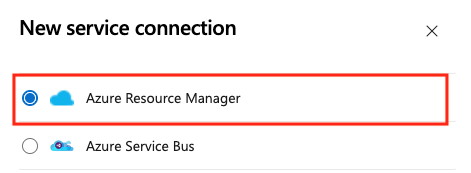
This Microsoft Learn screenshot shows the first Azure DevOps choice: the pipeline needs an Azure Resource Manager service connection to talk to Azure. It does not grant any Azure access by itself. The later identity, federation, and Azure RBAC choices determine whether the pipeline can obtain a token and what it can do with it. Open the Microsoft Learn procedure and original image.
The safe path, step by step
- A named person signs in through Microsoft Entra and uses their Azure DevOps account. For the short bootstrap task, they create
token-1, the Azure DevOps PAT. - The PAT lets bootstrap configure Azure DevOps only: project assets, pipelines, approvals, service connections, and, if selected, agent pools. The PAT does not let the pipeline create an Azure resource.
- Bootstrap creates separate plan and apply managed identities, gives each identity the necessary Azure RBAC at the approved Azure scopes, and configures a federated trust rule.
- Later, an approved pipeline uses its service connection. Azure DevOps presents a short-lived pipeline token. Microsoft Entra accepts it only if it matches the federated rule—for example, the intended organization, project, repository, branch, pipeline, and environment.
- Microsoft Entra issues an Azure access token for the managed identity. Azure then checks that identity’s Azure RBAC role assignment before it allows a read, plan, or apply operation.
This sequence explains why all four controls matter. Removing a PAT does not remove Azure RBAC. Removing an Azure role does not remove a repository contributor. Changing a service connection can change which pipeline can request an Azure token. Review and log each control separately.
Bicep and Terraform: two IaC paths
Both paths describe the desired state of infrastructure in version-controlled text files. Both should use pull requests, an independent review, a preview of changes, and a protected apply step. Choosing one does not make an environment secure by itself; identity design, policy, network controls, and operating discipline still matter.
| Question | Bicep | Terraform |
| --- | --- | --- |
| What is it? | Azure’s declarative language for describing Azure resources. | A general IaC tool that describes infrastructure in HashiCorp Configuration Language (HCL), usually in .tf files. |
| Where does it work? | Azure only; it is compiled to an Azure Resource Manager (ARM) JSON template. | Azure through the AzureRM provider, and potentially other clouds or services through other providers. |
| How does it decide what changes? | ARM reads the deployed Azure resources and compares them with the template. what-if previews the expected change. | Terraform compares HCL configuration, provider reads of Azure, and its own state file; plan previews the change. |
| What shared data must the team operate? | No Terraform-style state file. Azure stores deployment and resource state. | A protected, remote state backend with access control and locking. |
| Typical team fit | A team focused on Azure that wants direct ARM integration, Bicep modules, and no state-backend operation. | A team already skilled in Terraform, using it across platforms, or standardizing on its modules and workflow. |
Bicep workflow: write .bicep modules and parameters, run a what-if preview at the intended scope, review it, then deploy through ARM. Bicep is declarative: it says what Azure should contain, not a list of portal clicks. ARM works out dependencies between referenced resources and keeps the deployment record. Bicep does not require a Terraform state file; Azure is the source of truth for deployed resources. what-if is valuable but not perfect—some properties can appear as noise or cannot be fully evaluated—so a human must still review the result.
Terraform workflow: write HCL configuration, run terraform init to configure providers and the backend, run terraform plan to preview, review the plan, then run terraform apply through the protected delivery path. Terraform is also declarative, but it uses a provider and state to connect configuration to real objects. For an Azure-only team starting fresh, Bicep is usually the simpler operational choice. For a team that already has sound Terraform practices or genuinely needs a common multi-platform toolchain, Terraform can be the better choice. Do not introduce Terraform merely for fashion: state, provider versions, and backend access become part of the platform to operate.
Terraform state and state storage
Terraform needs a state file because it must remember which real Azure resource belongs to each resource declared in its configuration. State is the map between “this line of code” and “that storage account, policy assignment, or network in Azure.” Without it, Terraform cannot safely decide whether the next run should create, update, or delete an object.
Local state is unsuitable for a team: one laptop can be lost, two people can make conflicting changes, and state can contain sensitive values in plain text. Use a protected remote backend instead. In Azure, that commonly means a private Storage account and blob container. The Terraform Azure backend locks the state while it is being written, which prevents two applies from corrupting it. Azure encrypts stored blobs at rest, but encryption does not replace access control: restrict who can read or write the state, use network restrictions appropriate to the design, and never commit terraform.tfstate to Git or edit it by hand.
The accelerator’s Terraform path prepares state resources as part of bootstrap: a resource group, Storage account, and container, along with identity and permissions needed by plan/apply. This is why state is a platform security component, not an implementation detail. Loss, exposure, or incorrect state can lead to failed deployments, unintended replacement, or leaked sensitive values. Bicep platform deployments do not use Terraform state, although the accelerator uses Terraform to bootstrap the delivery environment even when Bicep is selected for the landing-zone deployment.
Terraform accelerator: input, output, and repeat runs
There are two different “runs” to understand. Bootstrap creates the controlled delivery system. A later platform pipeline run reads the Terraform configuration and creates or changes the landing-zone resources. Bootstrap output is therefore mostly repositories, identities, and configuration; platform output is the actual Azure hierarchy, policies, and selected shared services.
| Step | Input the team supplies | Output produced | Why the step exists |
|---|---|---|---|
| 1. Choose a scenario | A documented starter scenario, platform-subscription IDs, parent management group, locations, network approach, and named approvers. | A clear intended architecture and a configuration choice—not yet Azure resources. | It prevents a default network or policy pattern from being deployed without a business reason. |
| 2. Bootstrap | Azure/VCS authorization, selected Terraform path, scenario choices, and bootstrap configuration. | A module repository, workflow-template repository, starter Terraform module and .tfvars configuration, CI/CD plan/apply workflows, protected environments, approval group, federated plan/apply identities, and—on the Terraform path—remote state resources. | It turns “someone runs Terraform from a laptop” into a repeatable, reviewable delivery process. |
| 3. Configure the starter | Reviewed values in the generated platform-landing-zone.tfvars and related supported configuration files. | A proposed desired-state definition for the organization. | This is where the team makes the starter fit its approved requirements before anything changes in Azure. |
4. Run plan | The reviewed Terraform configuration, provider access, and current remote state. | A read-only execution plan that says which objects Terraform proposes to add, change, or destroy. | It exposes blast radius before an apply. A plan is evidence for approvers, not a deployment. |
5. Approve and run apply | An approved plan and the protected apply identity. | Azure resources and policy/RBAC objects described by the selected scenario, an updated Terraform state snapshot, and pipeline/deployment records. | It makes the desired configuration real in Azure and records Terraform’s new resource bindings. |
| 6. Run again without a code change | The same configuration and current state. | Normally a plan with no material infrastructure changes; no duplicate platform subscriptions are created. | This is the repeatability benefit of IaC: it converges on the declared result rather than replaying a sequence of portal actions. |
| 7. Change or upgrade | A pull request changing a supported setting, policy, module version, or scenario configuration. | A new plan showing the exact difference; after approval, only that difference is applied and state is updated. | It makes platform evolution controlled rather than accidental. |
What a Terraform platform deployment can produce
The selected scenario determines the exact resource list. A lean management-and-policy scenario can create the hierarchy, policies, and management resources only. A full multi-region connectivity scenario can additionally create shared networking components such as virtual networks or Virtual WAN, gateways, DNS components, firewall-related resources, and monitoring. The configuration and plan must be read together; never assume that a generic “landing zone” name means every feature is deployed.
The standard Terraform starter can cover these categories when they are enabled in the chosen scenario:
- Governance: management groups; policy definitions, initiatives, assignments, and the role assignments needed by policy remediation or deployment.
- Management: Log Analytics, Azure Monitor data-collection rules/identities, and Automation resources.
- Connectivity: hub-and-spoke or Virtual WAN patterns, address ranges, DNS/private-DNS, gateways, DDoS protection, Bastion, Firewall or a scenario that is ready for a third-party network virtual appliance.
- Identity and security placement: the supplied Identity and Security subscriptions are placed in their management groups when those blocks are enabled. The configuration decides whether additional identity/security resources are deployed.
The accelerator does not automatically create a customer application, move an existing application into the right subscription, connect an on-premises network, configure a third-party appliance, classify data, or approve a compliance exception. It creates a platform baseline and delivery mechanism. Workload onboarding and operational integration are separate, deliberate processes.
What a team may modify—and how to do it safely
Modify the generated configuration and supported extension points, not live Azure resources as a substitute for code. Common documented changes include resource names, management-group names/IDs, Azure regions, IP address ranges, network scenario, Firewall SKU, optional Bastion/gateways/private DNS/DDoS, monitoring and Defender options, policy enforcement mode, and additional custom policy assignments.
Every change has a consequence. Removing a policy assignment can remove a guardrail; adding a region can add cost and data-residency considerations; changing address ranges can affect routing; changing a management-group ID can alter inherited policy and RBAC. Make each change in a pull request that states the requirement, owner, affected scopes, expected plan changes, test evidence, rollback or recovery approach, and any accepted residual risk.
For an existing environment, do not point a fresh Terraform configuration at a resource and hope Terraform will “notice” it safely. Use the documented migration/import path where applicable, test it outside production, and compare state, configuration, and Azure reality. A resource that is absent from state is not necessarily safe for Terraform to create, replace, or destroy.
What to expect after running it
After bootstrap, expect new or prepared delivery assets: repositories or local module files, workflows/pipelines, plan and apply environments, approval controls, federated identities, permissions, and—when Terraform is selected—remote state storage. No platform is complete merely because bootstrap succeeds; the generated configuration still needs review.
After the first approved apply, expect the selected management-group hierarchy, policies, subscription placements, and only the shared resources enabled by the chosen Terraform scenario. In Azure, verify those resources at their intended management-group/subscription/region scopes. In the delivery system, retain the pull request, plan, approval, apply log, and state-backend access record as change evidence.
After a later repeat run, expect Terraform to compare code, state, and Azure. If nothing changed, a healthy plan should show no material change. If Azure was changed manually, Terraform may report drift; investigate whether code should be updated, the manual change should be reversed, or an approved import/migration is needed. Do not apply a surprising plan simply to make it disappear.
Security and operational assurance
An accelerator gives a team a repeatable starting mechanism, not a completed security program. It can establish a hierarchy, platform subscriptions, version-controlled deployment code, delivery identities, and a path for policy and shared services. It does not decide the organization’s risk appetite, make every workload secure, operate incident response, review alerts, approve exceptions, or prove compliance on its own. Those remain operating responsibilities.
What is accomplished—and what still must be operated
| Outcome from a well-operated accelerator | Security or business value | Ongoing work that is still required |
|---|---|---|
| A version-controlled platform definition | Changes can be reviewed, traced, and reproduced instead of being hidden in portal clicks. | Protect branches, review pull requests, retain change records, and test upgrades before production. |
| Management groups and platform subscriptions | Governance and shared services have intentional scopes and ownership boundaries. | Keep the hierarchy understandable; review inherited policy and RBAC whenever subscriptions move or new groups are added. |
| Pipeline plan/apply path | A proposed infrastructure change can be inspected before it changes Azure. | Require approvers for apply, investigate unexpected plan changes, and protect the pipeline and runners. |
| Policy assignments and shared platform capabilities | Guardrails can be applied consistently across workloads. | Translate real control requirements into policies, watch compliance results, handle justified exemptions, and revise controls after incidents or service changes. |
| Separate deployment identities | Automation can be attributable and can avoid using a person’s standing credentials. | Review role assignments, federation settings, sign-in/activity logs, and emergency-access process on a schedule. |
| Terraform state backend, when Terraform is selected | The team has a shared record of Terraform-managed infrastructure and avoids concurrent writes. | Restrict backend access, monitor changes, keep recovery procedures, and treat state as sensitive data. |
Operating model: who is responsible
The accelerator works best with a shared-management model. A platform team owns the common foundation; workload teams own their applications inside it. A smaller organization can combine these roles, but it must still name an accountable person for each responsibility.
| Role | Accountable for | Should not silently own |
|---|---|---|
| Executive sponsor or CIO | Risk appetite, funding, decision rights, and whether the organization can sustain the platform operating model. | Technical approval of every policy or pipeline change. Delegate that with clear controls. |
| Platform team | Landing-zone code, management-group design, subscription vending, shared connectivity/management services, pipeline operation, and baseline policy delivery. | Every application’s data classification, application authorization, or release decision. |
| Identity and security teams | Privileged-access design, group ownership, log retention, alert response, policy/control requirements, access reviews, and incident lessons learned. | Routine workload deployment. They set and assure the guardrails rather than becoming a release bottleneck. |
| Workload owner | Application architecture, data, workload identities, resource-group/subscription access, vulnerability remediation, and compliance with inherited guardrails. | Changing shared management-group policy or networking without the platform process. |
| Internal audit or security reviewer | Whether evidence shows that controls operate as designed, risks are accepted by the right people, and exceptions expire or are reviewed. | Designing the implementation for the delivery team. |
Least privilege: the access model to review
Least privilege means giving an identity the smallest role, at the smallest scope, for the shortest time, that permits its specific job. It is not merely replacing a password with a service principal. The accelerator’s bootstrap permissions are intentionally broad because bootstrap creates the later, narrower identities; treat this as a temporary exception with an owner, approval, start/end time, and removal evidence.
| Identity or credential | Necessary access and reason | Least-privilege controls a reviewer should expect |
|---|---|---|
| Human bootstrap account | Owner on the selected parent management group and platform subscriptions; Bicep currently also needs root-scope User Access Administrator. | Use a named, MFA-protected account; elevate only for the approved window; record the ticket/change; remove root elevation and broad assignments after bootstrap. Do not reuse it for daily deployment. |
| Bootstrap service principal, if used instead of a human | The same bootstrap Azure scopes, because it performs the same creation and delegation. | Prefer the documented one-off user path unless automation is justified. Use a short-lived credential, store it only in an approved secret store, rotate/revoke it after bootstrap, and never place it in code or state. |
GitHub bootstrap PAT (token-1) | The documented repository and organization permissions to create repositories, workflows, environments, secrets, variables, and required organization membership settings. | Fine-grained, organization-owned, short expiry, approved secret storage, audit of use, then revoke/allow to expire. Its broad temporary scope is not a day-to-day developer token. |
Self-hosted-runner PAT (token-2), only if that runner design is selected | Repository administration to register/manage the runner; organization runner permission only for organization runner groups. | Limit it to the runner repository after bootstrap, rotate it, alert before expiry, and do not grant it when hosted runners meet the requirement. |
| Plan identity | Reads the target environment and produces a proposed change. The generated role set depends on the selected accelerator configuration. | Separate from apply when supported; no standing Owner merely for convenience; restrict federation to the intended repository, branch, workflow, and environment. |
| Apply identity | Makes the approved platform change at the configured management-group and subscription scopes. | Grant only deployment and assignment rights demonstrated by the reviewed configuration; require protected environment approval; log and review every apply. |
| Workload-team identities | Azure RBAC at their own subscription or resource-group scopes so they can operate their application. | Do not give workload teams management-group permissions by default. Give each landing zone its own groups and assignments; use Microsoft Entra Privileged Identity Management (PIM), or equivalent just-in-time access, for elevated tasks where available. |
| Security and audit readers | Read access to the logs, policy compliance, role assignments, and deployment evidence needed for oversight. | Separate read/assurance access from the power to alter evidence or deploy changes. |
The exact generated plan/apply roles depend on the Bicep or Terraform configuration and selected capabilities. A reviewer should require the generated role assignments to be visible in code and in the deployment plan. “The accelerator created it” is not a sufficient authorization justification.
Security reviewer questions and acceptable evidence
| Question | Evidence to request before approving production use |
|---|---|
| What business risk or scale problem are we solving? | Approved target architecture, identified workloads, subscription forecast, service owners, and a decision explaining why a landing-zone platform is warranted. |
| Which scopes can this deployment affect? | Management-group diagram, subscription inventory, policy/RBAC inheritance map, and a reviewed plan/what-if showing creates, updates, and deletes. |
| Who can change the platform? | Named groups and owners; repository branch protection; environment approvers; PIM/JIT process; exported role-assignment review; emergency-access procedure. |
| How is pipeline-to-Azure authentication protected? | Federation configuration limited to the intended repository, branch, workflow, and environment; no long-lived Azure secret in code; evidence of identity scope and credential rotation. |
| How are GitHub PATs controlled? | Token owner, exact scope, expiry, secret-store location, rotation/revocation record, and proof that the token does not appear in Git history, logs, or documentation. |
| How is Terraform state protected, if used? | Private backend design; access list; locking test; encryption and network controls; backup/recovery approach; proof that state is ignored by source control and not broadly readable. |
| Which controls are enforced, audited, or merely documented? | Policy definitions/initiatives, assignments and effects, compliance reports, alert routes, documented exceptions with owner and expiry, and tests for critical guardrails. |
| What happens when a policy blocks a release or a platform deployment fails? | Incident/change runbook, escalation owner, rollback or recovery approach, a tested non-production failure scenario, and a record of lessons incorporated into code or policy. |
| How is the platform maintained? | Version/upgrade ownership, release-monitoring process, test environment, maintenance calendar, and a recurring review of architecture, role assignments, policy compliance, and costs. |
CIO and security decision checkpoint
Before approving the accelerator, a CIO or accountable executive should be able to answer: Do we have owners for the platform, identity, security operations, networking, cost, and workload onboarding? Do we accept the blast radius of the selected management-group scope? Can we operate the pipeline, identities, policy exceptions, state backend, and upgrades after the initial deployment?
If the answer is no, the safe decision may be to keep the platform smaller, use the portal path temporarily, or obtain platform-operating support before expanding. An accelerator is valuable when it turns agreed operating decisions into repeatable code—not when it hides unresolved decisions behind a wizard.
How it works
The accelerator divides the work into four understandable stages:
| Stage | What the team does | Why it matters |
|---|---|---|
| 0. Plan | Choose Bicep or Terraform, a version-control system, and the platform shape. | A tool cannot choose the organization’s security, network, or operating model. |
| 1. Prerequisites | Prepare required tools, Azure subscriptions and permissions, and the selected version-control system. | The deployment needs a deliberate identity and authorized target scopes. |
| 2. Bootstrap | Use the ALZ PowerShell module to create the delivery foundation and starter configuration. | This creates the machinery that will manage the landing zone as code. |
| 3. Run | Review and customize the generated configuration, then use CI/CD to plan and deploy it. | Review and approval happen before shared governance and platform resources change. |
For GitHub or Azure DevOps, bootstrap creates or prepares repositories, CI/CD assets, identities and permissions. Terraform deployments also need remote state resources. The generated platform module describes the desired landing-zone baseline. For Bicep, Terraform is used for the bootstrap only; Bicep deploys and updates the platform landing zone afterward.
The delivery sequence is intentionally two-step: plan first, apply after approval. A plan shows the proposed changes. Approval is the point to check that a broad management-group policy, network change, or identity permission is really intended. Apply makes the approved change in Azure.
Relationships and boundaries
Landing zone, platform landing zone, and application landing zone
An Azure landing zone is the broader architecture and operating model for using Azure at scale. A platform landing zone is the shared foundation: management-group hierarchy, governance, and centrally provided capabilities such as connectivity, monitoring, or security where the organization needs them. An application landing zone is the subscription or set of subscriptions in which one workload team owns its application environments and resources.
The accelerator primarily deploys and manages the platform landing zone. It does not design every application or grant every workload team unlimited access. A repeatable subscription-vending process can later provide governed application landing zones to workload teams.
Accelerator, Azure Policy, and management groups
The accelerator can deploy a structure in which policies are assigned at management-group scopes. Azure Policy is still the service that audits, modifies, or denies configurations; management-groups are still the hierarchy that lets appropriate assignments inherit. The accelerator is the delivery method for the baseline, not a replacement for either service.
Accelerator, Bicep, Terraform, and Azure Blueprints
Bicep and Terraform are languages and tools for declaring infrastructure. The accelerator supplies an opinionated starting path and modules around them. A team can use Bicep, Terraform, or AVMs without using the accelerator if it has its own proven platform-delivery design.
The accelerator is also not Azure Blueprints. Blueprints is a retiring service; do not use it as the modern way to package a landing-zone baseline. The accelerator relies on version-controlled IaC and current Azure services instead.
Common confusion
- “A landing zone is a subscription.” Not quite. A subscription is one management and billing boundary. A landing zone is an architecture and operating model; an application landing zone can contain one or more subscriptions.
- “The accelerator designs our cloud strategy.” No. It implements selected patterns. The team must decide requirements, ownership, regions, networking, policy exceptions, and access model first.
- “Bootstrap deploys the finished platform.” No. Bootstrap prepares the repositories, identities, pipelines, and starter configuration. The platform deployment occurs in the run phase after configuration review.
- “Policy makes RBAC unnecessary.” No. Policy governs allowed resource configurations; RBAC determines who may take an action. Both need deliberate scopes.
- “The reference hierarchy must be copied exactly.” No. The reference is a starting point. Adapt it to documented requirements, but understand the cost of each deviation and keep the hierarchy understandable.
When to choose it
Choose the IaC accelerator when a platform team needs a governed, repeatable foundation across multiple subscriptions and is ready to operate that foundation through Git, code review, plans, and approvals. It fits organizations that want Microsoft-supported Bicep or Terraform platform modules and either GitHub or Azure DevOps hosted delivery.
Start with the portal accelerator or a smaller, manually governed design when the team is learning the architecture and lacks IaC capability. The portal path is less flexible and harder to version over time, so plan a move to IaC when the platform needs repeatable change. Do not adopt an enterprise platform pattern merely because it exists; the organization must be able to operate the identities, policies, networks, and delivery pipeline it creates.
Tradeoffs and failure modes
- Broad blast radius: a mistaken Policy or RBAC assignment at a high management-group scope can affect many subscriptions. Use least privilege, narrow initial assignments, and review plans.
- Template without ownership: generated code does not provide on-call ownership, policy-exception handling, or a subscription-request process. Name the platform owners before deployment.
- Over-customization: changing every default can leave a team with a private, expensive-to-upgrade fork. Change only for stated requirements and record why.
- Wrong hierarchy: copying an org chart or creating deep environment/region branches makes inheritance difficult to reason about. Group subscriptions by shared governance needs instead.
- Unprotected delivery identity: the CI/CD identity needs permissions at powerful scopes. Use the smallest necessary permissions, protect approval paths, and review federated-identity and repository settings.
- Skipping review: the bootstrap wizard still requires the team to review configuration and supply required values, including platform regions. Never treat generated settings as automatically correct for production.
Worked example
Northwind is moving several applications to Azure. Maya’s platform team wants every workload subscription to inherit approved-region, tagging, and monitoring rules, while each application team retains ownership of its own resources.
- The team plans a small management-group hierarchy: Platform for shared connectivity and monitoring, Landing zones for workload subscriptions, and Sandbox for controlled experiments. It records the requirements rather than copying a diagram without review.
- It chooses Bicep, GitHub, and the IaC accelerator. In the prerequisite phase, it prepares dedicated platform subscriptions and the delivery identity.
- Bootstrap produces the repository and delivery foundation. Maya reviews the generated configuration, supplies Northwind’s intended regions, and removes options the organization does not need.
- A pull request changes a policy assignment. The pipeline shows a plan; the platform owners see that it would affect all production workload subscriptions, so they narrow the scope before approving it.
- The approved deployment creates the shared baseline. Later, a workload team receives a governed subscription under the appropriate landing-zone group. It can deploy its application, but it cannot bypass the inherited guardrails merely because it owns the workload.
The important result is not “Northwind ran a wizard.” It is that its platform baseline has named owners, reviewed code, a controlled change path, and an understandable boundary between shared platform work and application work.
Where it appears in the route
Read management-groups, azure-policy, and scope first. Then use this note as the bridge from AZ-104 governance to AZ-400 infrastructure as code. Before choosing an accelerator, explain who owns the platform, which scope a proposed policy reaches, and who must approve an apply.
Sources and re-audit
- Azure Landing Zones — IaC accelerator, checked 2026-09-23. Primary implementation documentation; explains supported IaC paths, bootstrapping, and delivery setup.
- Azure Landing Zones — Planning phase, checked 2026-09-23. Explains the required concepts and planning choices.
- Azure Landing Zones — Bootstrap phase, checked 2026-09-23. Explains generated configuration and the required review before deployment.
- Azure Landing Zones — Run phase, checked 2026-09-23. Explains plan, approval, and apply delivery flow.
- Azure Landing Zones — Platform subscriptions and permissions, checked 2026-09-23. Defines the platform-subscription model and bootstrap Azure roles.
- Azure Landing Zones — GitHub prerequisites, checked 2026-09-23. Defines the supported GitHub account type and current fine-grained PAT permissions.
- Azure Landing Zones — Azure DevOps prerequisites, checked 2026-09-23. Defines the hosted Azure DevOps setup, temporary bootstrap PAT scopes, runner PAT scope, and pipeline-capacity requirement.
- Azure Landing Zones — General prerequisites, checked 2026-09-23. Defines the supported local tools, network expectation, and current proxy/Cloud Shell limitation.
- Microsoft Learn — Connect Azure Pipelines to Azure, checked 2026-09-23. Defines an Azure Resource Manager service connection and recommends workload identity federation with an app registration or managed identity rather than a secret.
- Microsoft Learn — Azure DevOps PATs, checked 2026-09-23. Explains that a PAT is an Azure DevOps alternative password, its scope follows the issuing user’s access, and it needs short lifetime, secure storage, review, and revocation.
- Azure Landing Zones — Authenticate via service principal, checked 2026-09-23. Explains the service-principal bootstrap alternative and its credentials.
- Azure Landing Zones — Root access, checked 2026-09-23. Explains the current Bicep bootstrap root-access requirement and removing elevation afterward.
- Azure Landing Zones — Terraform starter module, checked 2026-09-23. Explains starter scenarios, configuration, locations, and the Terraform platform module.
- Azure Landing Zones — Terraform configuration options, checked 2026-09-23. Documents supported changes such as names, policy enforcement, network components, regions, and policy additions.
- Azure Landing Zones — Terraform example scenario, checked 2026-09-23. Shows that the selected scenario determines resources, subscription placement, and expected costs.
- Microsoft Learn — What is Bicep?, checked 2026-09-23. Explains Bicep’s ARM deployment model, declarative syntax, and lack of Terraform-style state files.
- Microsoft Learn — Bicep what-if, checked 2026-09-23. Explains preview behavior, scope support, and limitations.
- Microsoft Cloud Adoption Framework — Landing zone identity and access management, checked 2026-09-23. Explains least privilege, just-in-time elevation, scope boundaries, and platform versus workload responsibilities.
- Microsoft Cloud Adoption Framework — Prepare your organization for cloud, checked 2026-09-23. Explains centralized, shared, and decentralized operating models and responsibility assignment.
- Microsoft Cloud Adoption Framework — Azure governance design area, checked 2026-09-23. Explains policy-driven governance, continuous compliance, logging, and governance operations.
- Microsoft Cloud Adoption Framework — Improve landing zone security, checked 2026-09-23. Explains security governance, DevSecOps, and incorporating incident lessons into controls.
- Microsoft Cloud Adoption Framework — Platform landing zone implementation options, checked 2026-09-23. Compares the IaC and portal accelerators.
- Microsoft Cloud Adoption Framework — Azure landing zone design principles, checked 2026-09-23. Explains policy-driven governance and subscription democratization.
- Microsoft Cloud Adoption Framework — Management groups, checked 2026-09-23. Explains management-group design and governance boundaries.
- Microsoft Learn — Store Terraform state in Azure Storage, checked 2026-09-23. Explains remote state, locking, encryption, and Azure Storage considerations.
- HashiCorp Developer — Terraform state, checked 2026-09-23. Explains state’s resource bindings and why it belongs in a protected remote backend.
- Microsoft Learn — Azure DevOps organization management, checked 2026-09-23. Explains organizations, projects, billing, and group-based access administration.
- Microsoft Learn — Azure DevOps permissions and security groups, checked 2026-09-23. Explains permission scopes, inheritance, and effective-permission review.
- Microsoft Learn — Workload identities, checked 2026-09-23. Explains the relationship between application objects, service principals, managed identities, and federated credentials.
Related
management-groups · azure-policy · subscription · scope · rbac · service-principal · managed-identity · workload-identity-federation · service-connection · azure-devops-access-levels · azure-devops-security-groups · github · bicep · terraform · terraform-in-azure · storage-account · azure-blueprints · northwind-traders-case-study