Action Group
What it is
An action group is a named, reusable list of notifications or automated actions that an Azure Monitor alert can invoke. An action group answers “who should hear about this?” or “what approved workflow should begin?” It is separate from the alert rule that decides a problem exists.
Why it exists
An alert without a receiver does nothing. Action groups decouple “detect the problem” (alert rule) from “who gets told / what runs” (action group), so you configure the notification once and reuse it across many alerts. This avoids duplicating email addresses and webhooks on every rule.
Key ideas
- An alert rule can reference one or more action groups, and one action group can be reused by many alerts.
- An action can notify people or invoke an integration such as a webhook, automation runbook, Function, Logic App, or ITSM workflow. Available action types and their validation requirements can change; verify the current documentation for a production design.
- Alert processing rules can suppress or change notifications during planned maintenance or other defined conditions. They do not change the monitored resource or make the underlying alert condition disappear.
Northwind example
Northwind creates an orders-on-call action group with a notification route for the on-call team and a webhook to its incident system. A CPU alert and a checkout-failure alert both reference the same action group. The alert tells the group which condition fired; the action group tells Azure where to send the response. During an announced maintenance window, Northwind uses an alert-processing rule to avoid unnecessary wake-ups while still preserving a clear operational record.
Common confusion
- An action group is not an alert rule, dashboard, or remediation guarantee.
- Sending an email is not the same as fixing an incident. Automated actions need least privilege, idempotency, testing, and a safe failure path.
- Reusing an action group can reduce duplication, but a shared group can also notify the wrong audience if alerts are not classified carefully.
How it fits (diagram)
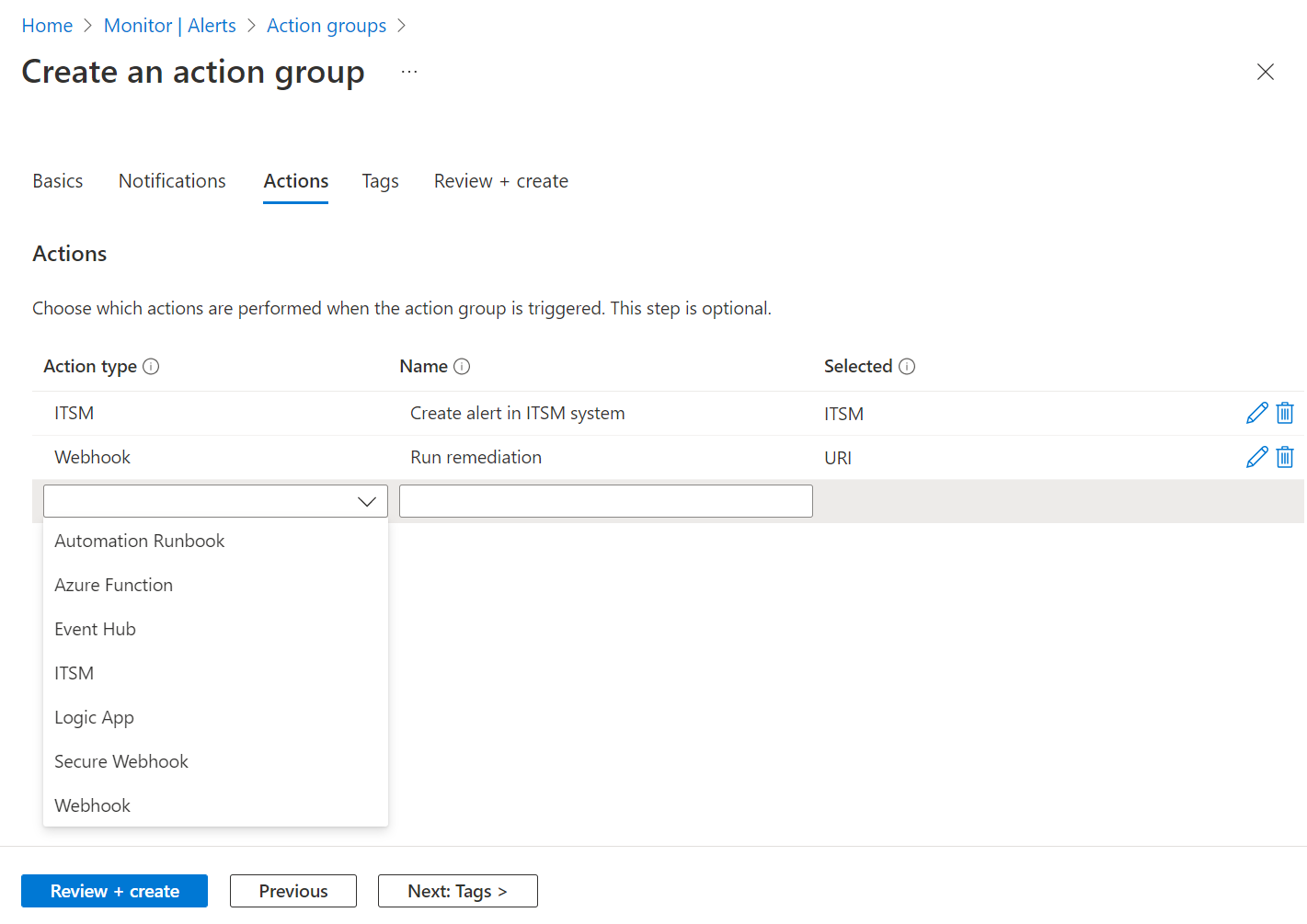
Diagrams courtesy of Microsoft Learn / Azure docs: azure-monitor/alerts/action-groups
Safe operation
Test notifications and any automated action with a controlled alert. Keep ownership current, avoid putting secrets in alert payloads, and make the alert message useful enough for a responder to begin investigation.
Related
metric-alert · azure-monitor · azure-monitor-activity-log · log-analytics · northwind-traders-case-study
📘 Source: Microsoft Learn — Create and manage action groups, checked 2026-09-16.