Resource group
What it is
A resource group is a logical container for Azure resources that share a lifecycle: you expect to deploy, update, and eventually retire them together. A resource group belongs to one subscription. Most application resources belong to one resource group, although Azure also supports specific resource types at subscription, management-group, or tenant scope.
Why it exists
Instead of managing every resource in isolation, you group the resources of an application/lifecycle into one container so you can deploy, update, delete, monitor, and secure them as a unit — and apply RBAC and Azure Policy at that scoped boundary.
Key ideas
- One place, one owner — a resource can be in only one RG (but can later be moved between RGs/subscriptions).
- RG location ≠ resource locations. The RG’s region is where the RG’s metadata is stored; the resources inside it can be in any region. This is a classic trap.
- Lifecycle unit — deleting a RG deletes all resources inside it (a boundary of operation, not of geographic data residency).
- Deployment scope — ARM deployments and templates/Bicep target a RG.
- Group by lifecycle + environment, not by resource type (that’s a common anti-pattern — mixing all VMs in one RG complicates lifecycle).
Northwind example
Northwind puts the ordering web app, its storage account, and its monitoring resources in orders-production because the team deploys and retires that solution together. It puts a shared network or a database with a different owner and retirement schedule in another resource group, even if the application connects to it. Connections can cross resource-group boundaries.
Deleting orders-production would delete its resources. That makes the group a convenient lifecycle boundary, but a dangerous one to use as a casual folder. Before deleting it, Northwind must understand every contained resource and retain backups where recovery is required.
Common confusion
- The resource group’s location stores resource-management metadata. It does not force every contained resource or its customer data into that region.
- A resource group is not an availability zone, virtual network, or security boundary. RBAC and Policy can be scoped to it, but networking and resiliency need their own design.
- Tags on a resource group do not automatically flow to its resources.
How it fits (diagram)
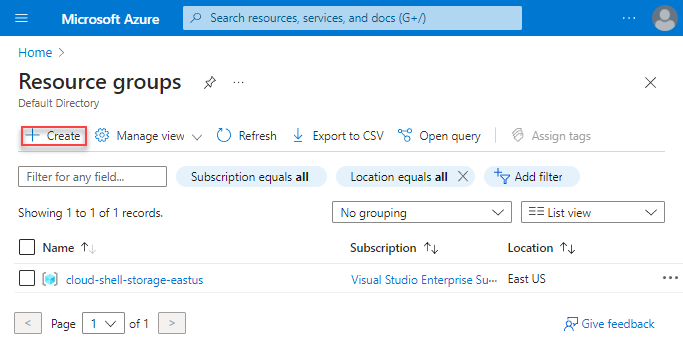
Diagrams courtesy of Microsoft Learn / Azure docs: azure-resource-manager/management/manage-resource-groups-portal
Exam notes
- RG location is where metadata sits — the RG itself is not a physical place and stores no resources’ data.
- Deleting a RG deletes everything inside it.
- Move of a resource across RGs/subscriptions is possible but has constraints (recreate vs move, some resources can’t move).
- Use RG to scope RBAC assignments and policies at an application boundary.
Related
Path MOC · subscription · arm · scope · resource-tags · azure-policy
📘 Source: Microsoft Learn — Resource Group